Everything the designer does, and what you get with every order
All of this is in the free plugin, with no licence key. Every customer-facing feature has its own switch, so the designer offers what your shop can produce. The plugin does not talk to a cutting machine: you open the SVG in the cutting software you already use. Looking for the workshop tools after the order? See Pro.
A designer that starts where your customer starts
No blank canvas anxiety: pick a project, change the text, order.
Suggestions with example projects
“What are you making?” Van or car, shop window, opening hours, boat name, house number, wall quote or start from scratch (and printed sticker when you offer it). Each tile opens the designer with a suitable starting text and font. A customer who knows what they want can hide the row or start from scratch (from 7.0.2 it is a compact row with a Hide button that closes when they start designing).
Switch: the suggestions can be turned on or off in Settings, General (on by default).

Text, fonts and layout
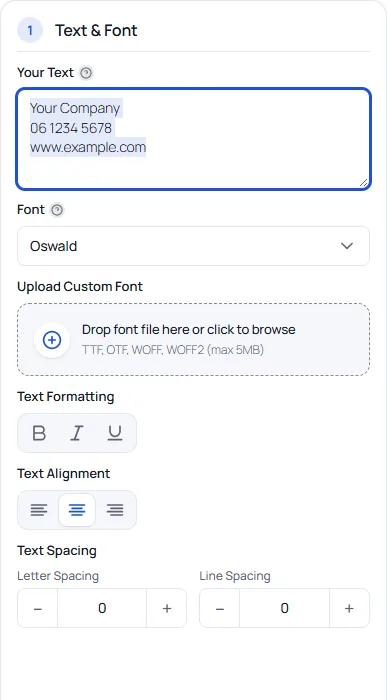
- Multi-line text, with bold, italic and underline, left, centre or right alignment, and letter and line spacing
- A font picker as a grid that previews the customer's own text, using open-licensed fonts served from your own site
- Upload of your own font file (TTF, OTF, WOFF, WOFF2): always for you in the admin, for customers only if you switch it on
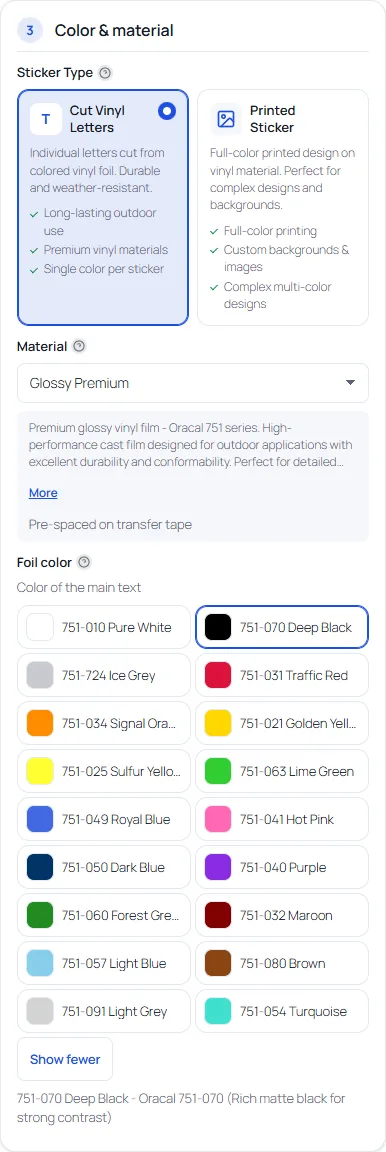
- Several text layers, each with its own font, size and foil colour
- A library of 37 shapes plus upload of your own SVG shapes, with resize and rotate handles
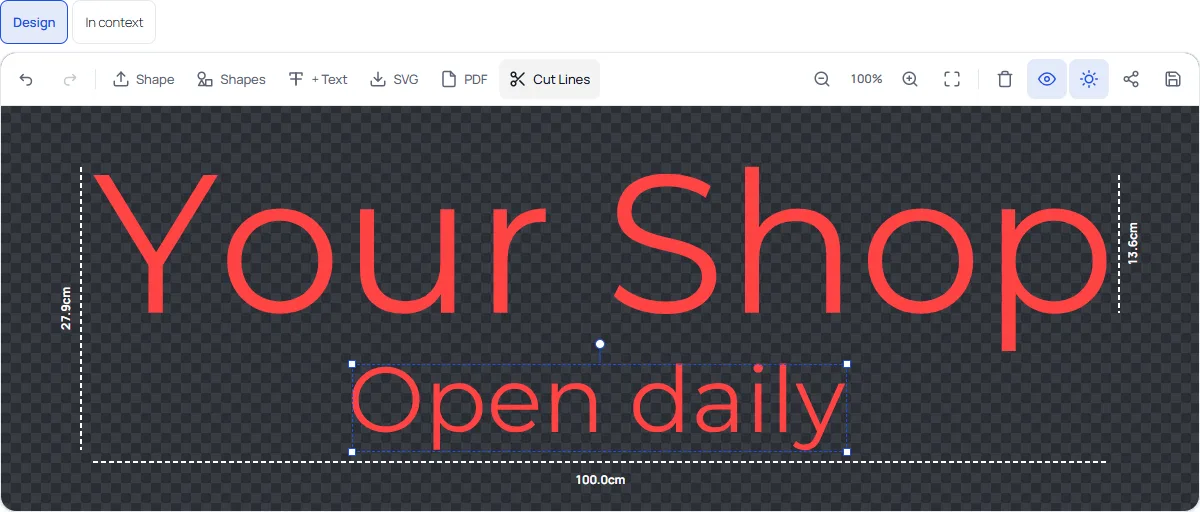
- Undo and redo, zoom, full screen, dimension lines and a dark or light canvas
Switches: alignment, bold, italic and underline, letter spacing, line spacing, multiple text layers, shapes, the font grid, font upload and full screen can each be turned on or off.
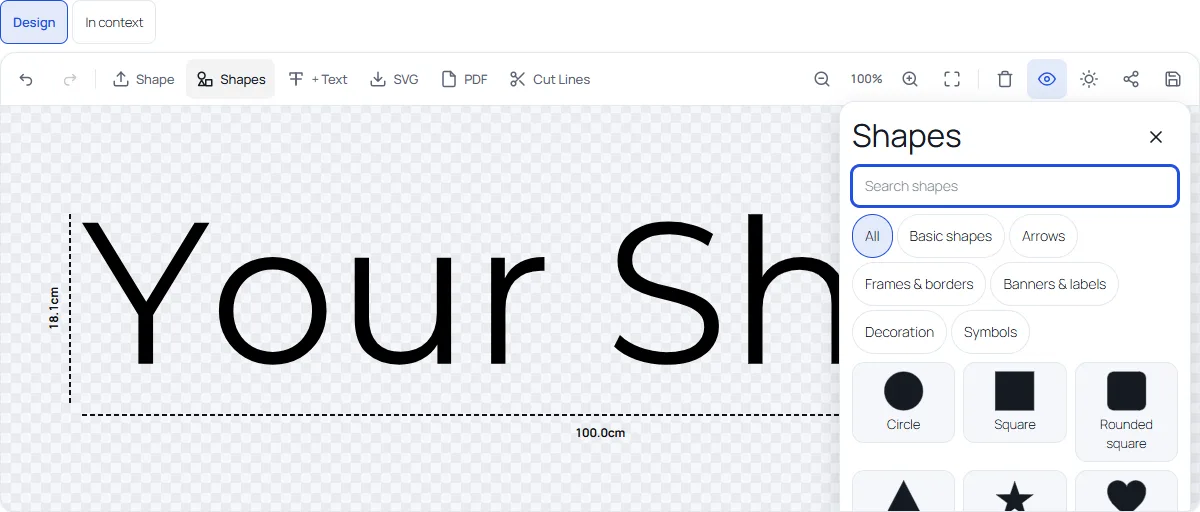
Shapes
Add a circle, an arrow, a frame, a banner or a symbol from the built-in library, or upload an SVG. Shapes are cut layers and can have their own foil colour.
Switch: shapes (library and upload) can be turned on or off.
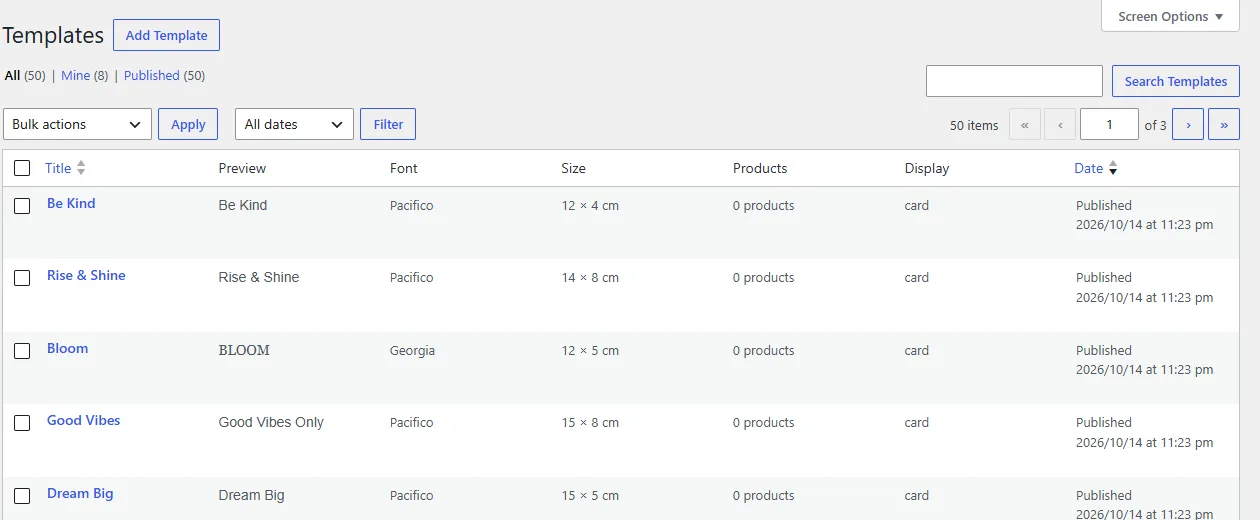
Templates
42 design templates in 7 categories give customers a head start. Select templates in the admin and choose Generate products to turn them into shop products that open the designer with the template pre-loaded.
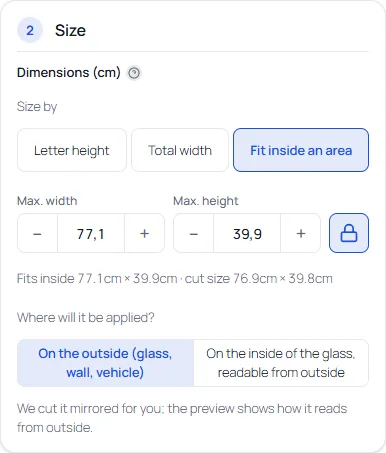
Real size, three ways to set it
The customer works in centimetres, you receive a file in real millimetres.
- Letter height: set the height of the letters and the width follows.
- Total width: set the width of the whole lettering.
- Fit inside an area: enter the maximum width and height of the space (a window, a door, a bumper). The design is sized to fit, and the resulting cut size is shown under the fields.
- Keep proportions lock; letting the customer unlock it (disproportional scaling) is a switch, off by default.
- Limits per material: a minimum letter height, a minimum stroke and the roll width. The production check warns about letters that are too small, lines that are too thin and designs that do not fit the roll, with a one-click fix.
- Inside or outside the glass: for the inside, the cut file is mirrored and the preview shows how it reads from outside.
Switches: the production check, disproportional scaling and the inside/outside question can each be turned on or off.
Your vinyl, your colours, your prices
Import a preset or build your own.
- Materials per product, each with a base price per dm², a finish, minimum letter height, minimum stroke, roll width and the surfaces it suits
- Presets to import: Oracal 651, 751 and 951 and Avery Dennison 700 Premium Film, with their colour codes and an indicative outdoor durability
- Foil colours with an article number, a surcharge per dm² and a fixed price increase per colour where you want one
- Optional printed stickers with a background colour or image and a gloss or matte laminate
Multi-colour designs with registration marks
Give each text layer and shape its own foil colour. Every colour is cut separately, and registration marks (three small crosses in the corners) make the layers line up exactly when you apply them. You can charge a surcharge per extra colour, and the price panel lists the extra colours.
Switches: foil colour per layer, registration marks and the surcharge per extra colour can each be turned on or off. Multi-colour guide
The price follows the design, to the cent
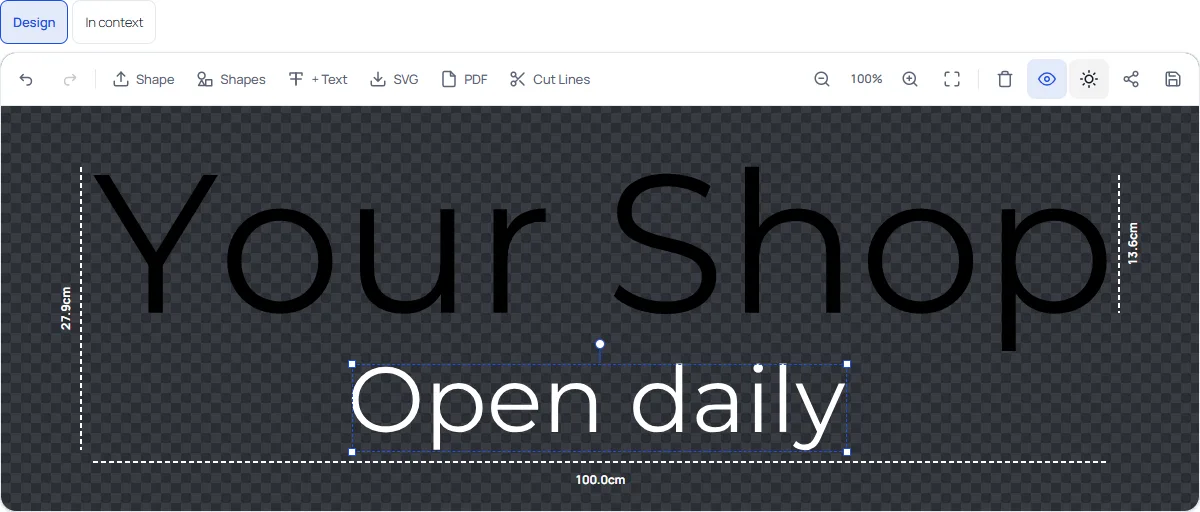
Calculated from the area and your rules, and always recalculated on the server.
- Price per dm² of the material, plus colour surcharges
- Bulk pricing tiers with the next discount shown to the customer
- A minimum price per piece and a minimum order quantity
- A surcharge per extra foil colour
- An optional rush percentage
- Printed stickers with their own price per dm² and an optional laminate price
- A price breakdown per piece, so the customer sees what they pay for
- A shipping day estimate based on your cut-off time, working days and holidays
Switches: bulk discounts, rush, the price breakdown, laminate, printed stickers and shipping estimates can each be turned on or off. Pricing guide with worked examples
See it before it is cut
Scene preview
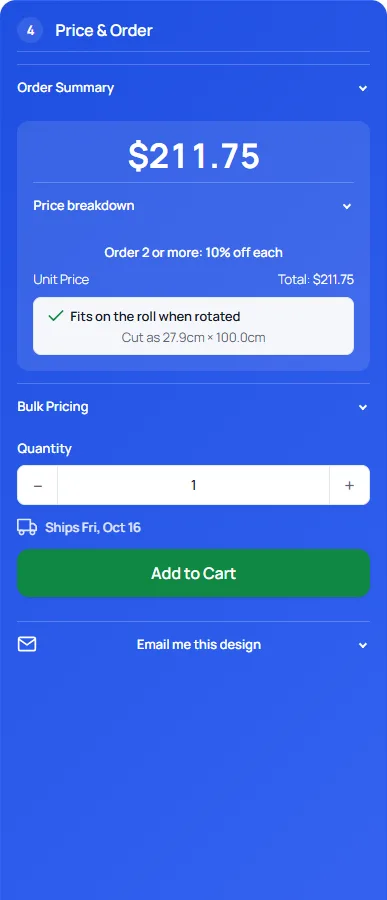
The In context view shows the design at real size on a van, a shop window, a door, a boat or a wall, or on a photo the customer adds (the photo stays in their browser).
Switch: the scene preview can be turned on or off.
Cut lines and dimensions
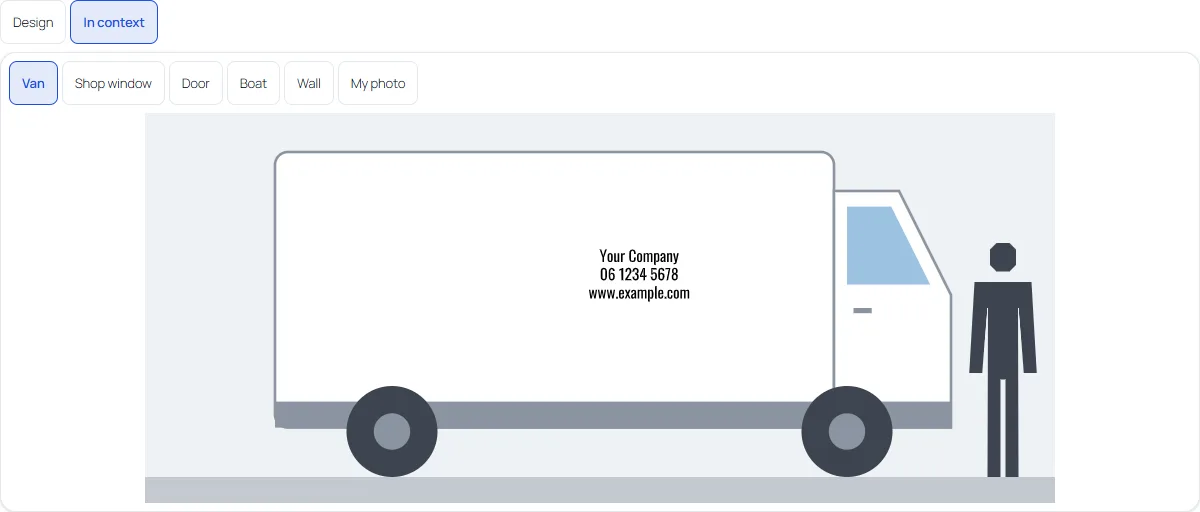
A Cut Lines view shows the outlines the cutter will follow, and dimension lines show the real size in centimetres. For glass, the preview shows how the lettering reads from outside.
Switches: the cut lines view can be turned on or off.
Everything between “nice idea” and “order”
Share
A link to the design, valid for 30 days.
E-mail me this design
The customer receives the link after ticking a consent box; the address is not stored.
Save and design again
Logged-in customers save designs (up to 20) and re-open an earlier order's design.
Review step
Install kit products, installation guide and video links, photos of installed work that you add yourself, review stars from your WooCommerce reviews and an indicative durability line.
Works on phones
A responsive designer: the canvas stays pinned at the top while the customer scrolls through the options, or opens the full screen editor. You choose in Settings (“Canvas on phones”).
Translated
Dutch, German, French, Spanish and Simplified Chinese.
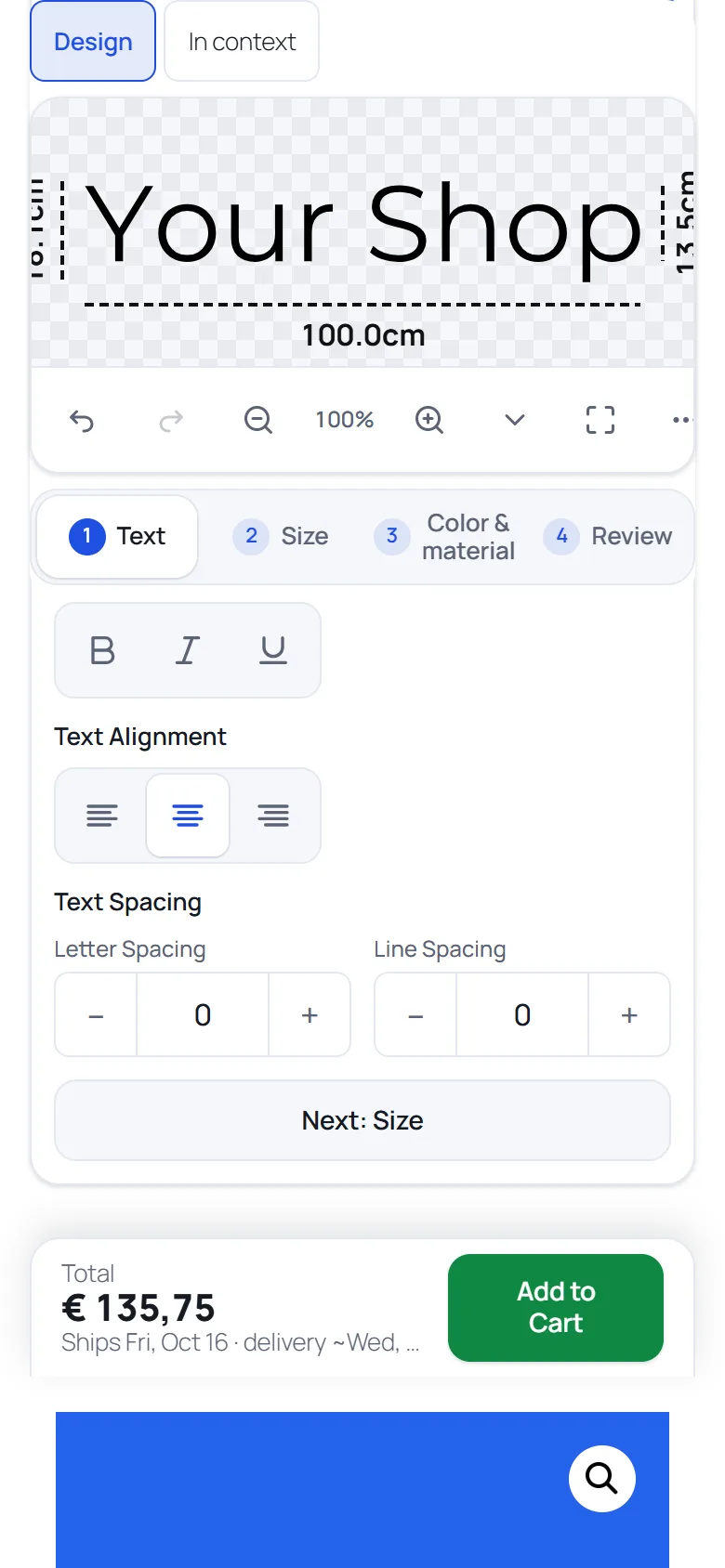
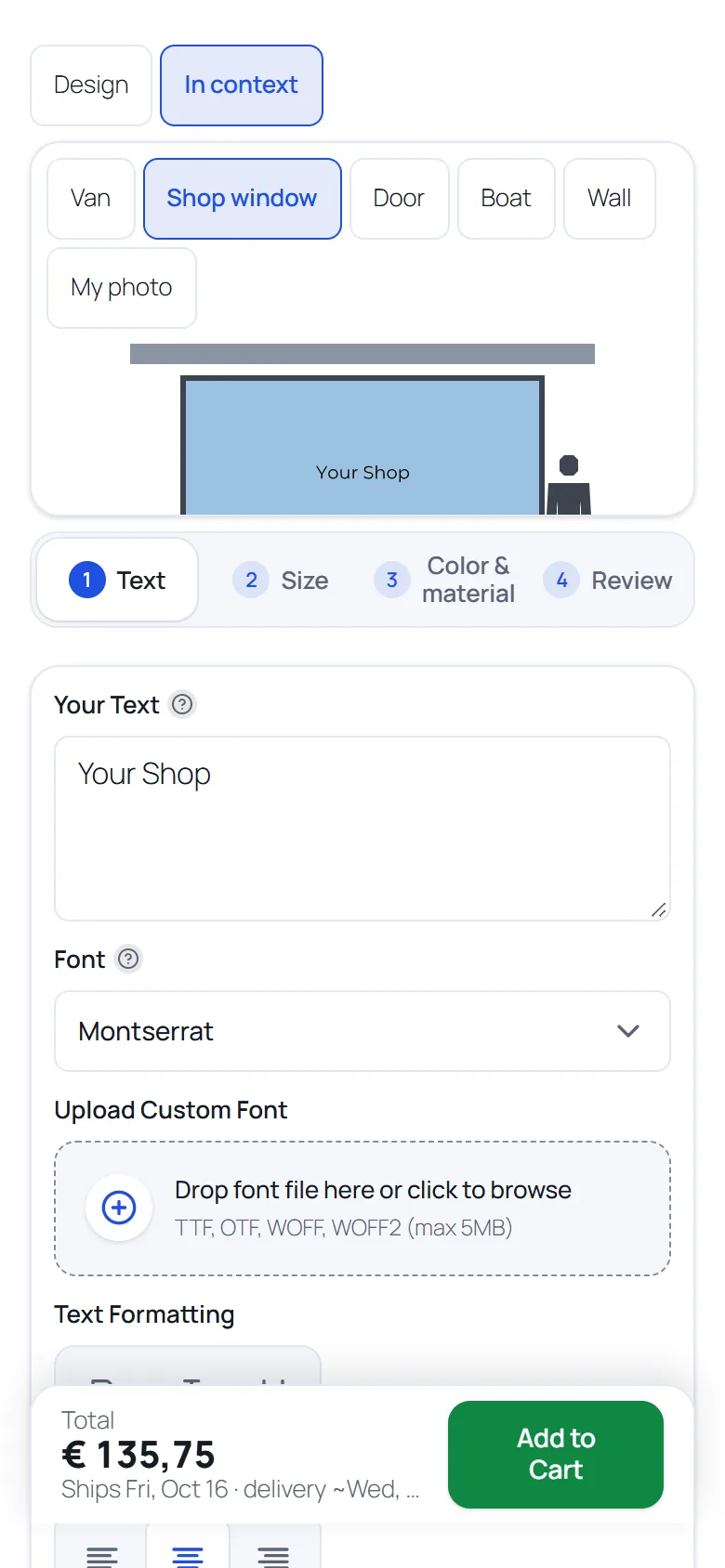
Phones: the setting Canvas on phones (Settings, General) has three options: the canvas stays visible at the top while editing (default), it scrolls with the page, or it opens in the full screen editor after the customer picks a project (needs the Full screen designer switch). The compact “What are you making?” row can be hidden with one tap.
Switches: sharing, e-mailing, saved designs, design again, the install kit, the installation links, review stars, photos of installed work and the durability line each have a switch. Customer features guide
What you receive with every order
The design travels with the order line. Nothing to re-draw.
- Cutting file (SVG) in real millimetres at the ordered size, with overlapping letters welded into one outline
- One SVG per foil colour for multi-colour designs, each with a weed box and registration marks
- Print file (PDF) for printed stickers
- PDF with a CutContour line: at actual size, the cut line as the CutContour spot colour that many print shops expect
- Download buttons on the order in the WooCommerce admin; a preview of the design in the cart, the cart block and the order
- Compatible with WooCommerce High-Performance Order Storage
Switches: the customer SVG and PDF downloads and the registration marks can be turned on or off. Production files guide
After the order? The free plugin gives you the files. Pro adds a proof the customer approves, a production board, job sheets with a QR code, batches nested on your vinyl roll with roll stock, and the installation text in the Completed e-mail.
Built to be extended
Filters and actions with the prefix vst_, a pricing filter in PHP and JavaScript, and a small JavaScript object, window.VSTDesigner, with events such as ready, change and beforeAddToCart. For developers
Setup wizard
Business type, unit and materials, prices, a demo product and a test cut.
Designer style
Presets and a live preview to adjust colours, layout, spacing and shapes, with export and import of a style.
Settings in four tabs
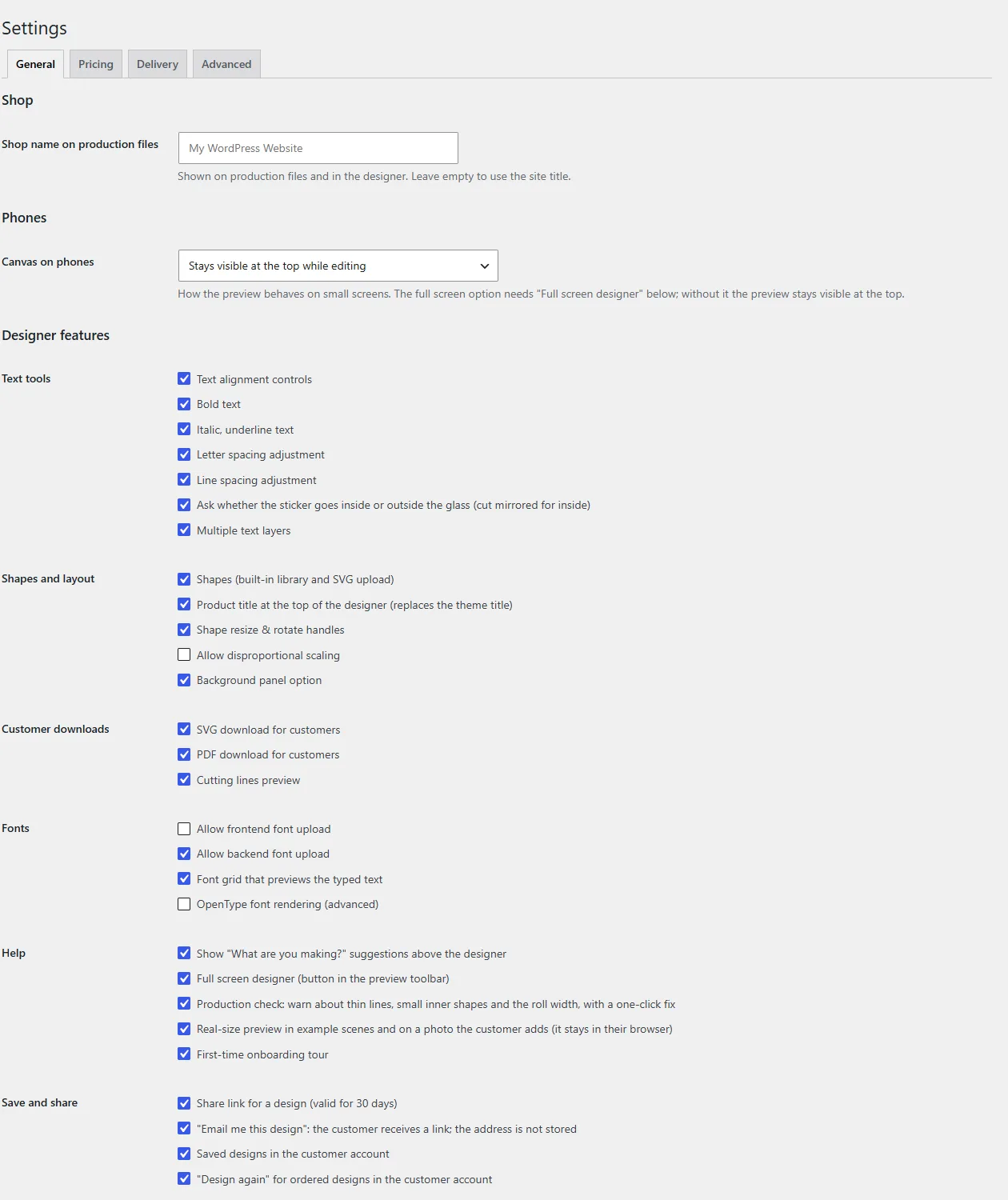
General, Pricing, Delivery and Advanced. Settings reference
It does not call home, and Google is opt-in
The free plugin has no licence key and does not contact the plugin author. Designs are made in the visitor's browser and stored on your own server. Bundled fonts are served from your own site and never contact Google. A Google font is only used after an administrator enables it; then the visitor's browser loads the font file from Google, which sends the visitor's IP address. A shop that enables no Google font sends nothing to Google from its visitors. Fonts guide
See it in action
Try the live demo and experience the designer from your customer's side.