Materials and pricing guide
How a price is built from the area, the material and your rules, with worked examples that were computed with the plugin's own pricing code.
The formula
For cut vinyl, the price per piece is built in this order:
- Area in dm² = width × height in cm, divided by 100.
- Material price: area × (base price per dm² of the material + the surcharge per dm² of the chosen colour) + the fixed price increase of the colour, if any.
- Quantity discount: the best discount tier whose minimum quantity is at or below the ordered quantity.
- Minimum price per piece, applied after the discount.
- Extra foil colours: a fixed amount for each foil colour beyond the first, with the same quantity discount, on top of the minimum price.
- Rush: a percentage over the whole price, if you offer rush and the customer chose it.
- Add-ons can adjust the result with the
vst_calculated_pricefilter; then the price is rounded to two decimals.
Set up materials and colours
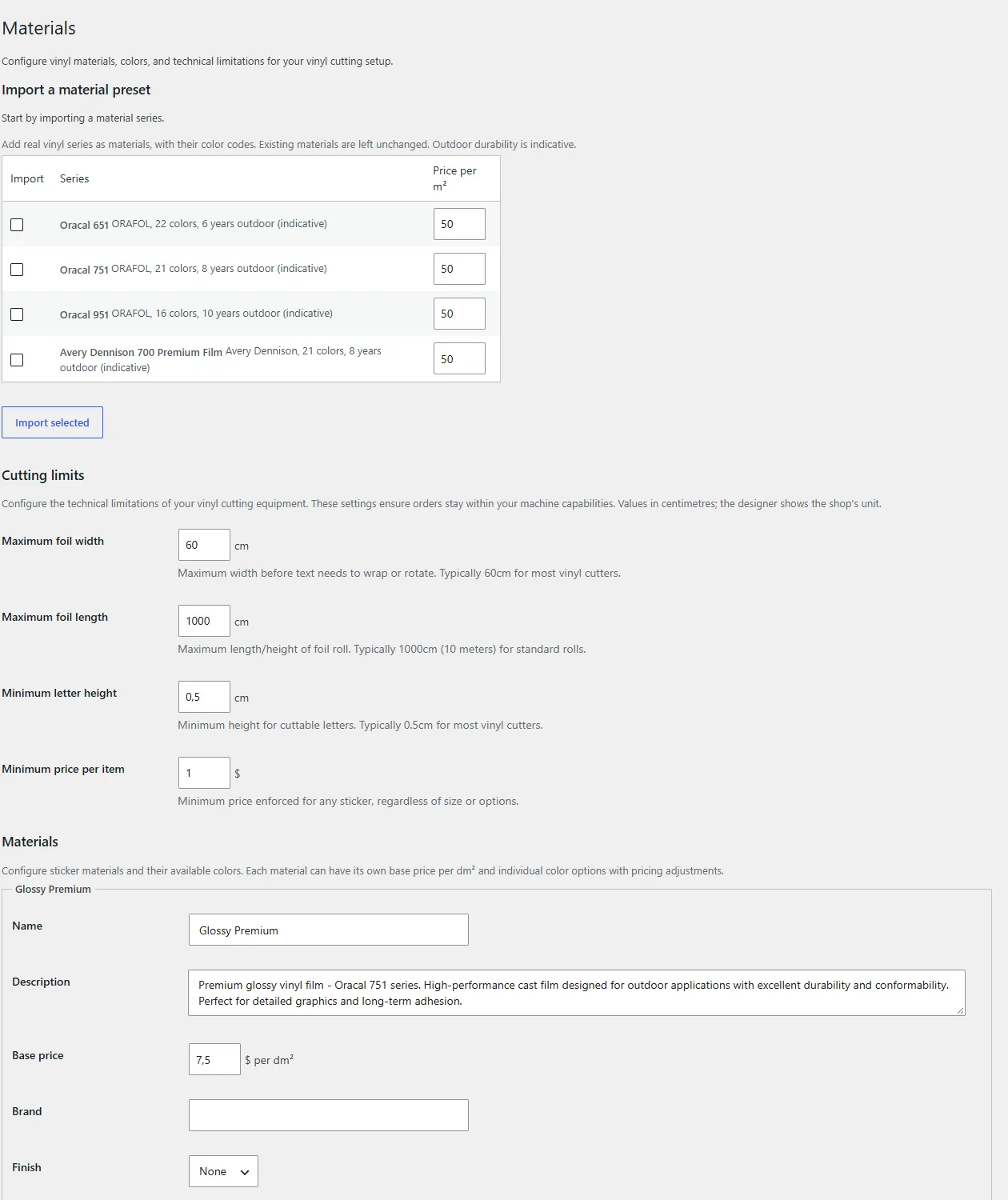
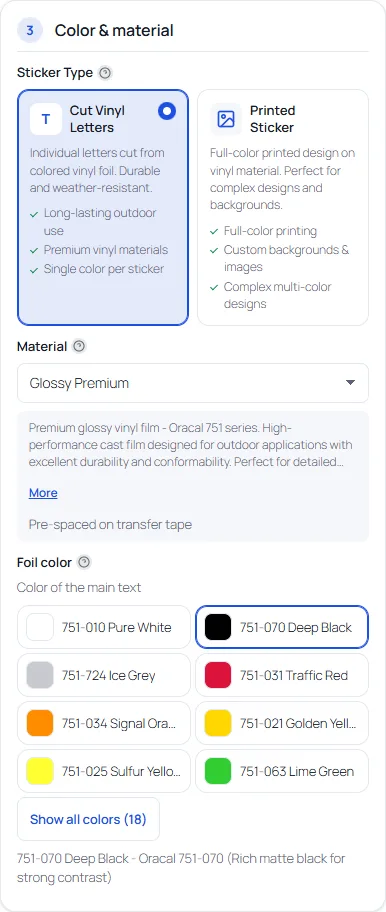
Every material has a base price per dm². Every colour can add a surcharge per dm² (for example for a metallic finish) and a fixed price increase. Import a preset to start with real colour codes, then set your own prices. Turn bulk discounts, rush and the surcharge per extra colour on or off on the Pricing tab.
Worked examples
Example settings: a material at 7.50 per dm², a minimum price of 5.00 per piece, discount tiers of 5% from 5 pieces and 10% from 10 pieces, 2.50 for each extra foil colour, rush at +25%, and a gold colour with a surcharge of 2.00 per dm². These numbers are examples, not recommendations. The results below were computed with the plugin's own pricing code (vst-pricing.js, tag 7.0.7).
| Case | Calculation | Price per piece |
|---|---|---|
| 60 × 10 cm, black, 1 piece | 6 dm² × 7.50 | 45.00 |
| Same, 5 pieces | 45.00 less 5% | 42.75 |
| Same, 10 pieces | 45.00 less 10% | 40.50 |
| 10 × 3 cm, black, 1 piece | 0.3 dm² × 7.50 = 2.25, below the minimum | 5.00 |
| 60 × 10 cm in gold | 6 dm² × (7.50 + 2.00) | 57.00 |
| 60 × 10 cm, two foil colours | 45.00 + 2.50 for the extra colour | 47.50 |
| 60 × 10 cm, black, with rush | 45.00 × 1.25 | 56.25 |
The examples can be reproduced: the repository of this site has a small script, tools/pricing_examples.mjs, that loads the plugin's pricing file and prints these numbers.
What the customer sees
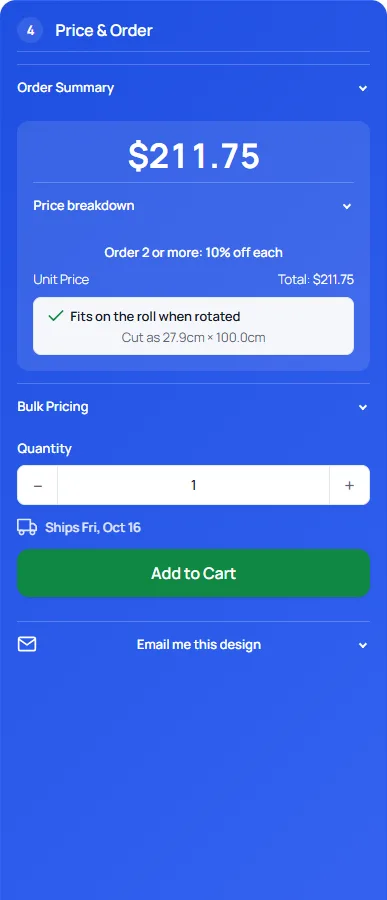
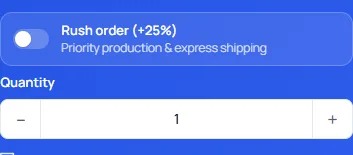
The price panel lists the order summary, the price per piece with its breakdown (vinyl, extra foil colours, discount) and the next quantity discount, a bulk pricing table, the rush option when you offer it, the quantity and the shipping day. Turn the breakdown off and the customer sees only the price per piece and the total.
Who calculates the price
The browser runs the same formula to show the price while the customer designs, but the price that is charged is always calculated on the server. A price coming from the form is never trusted.
Printed stickers and laminate
Printed stickers are an option you switch on under Materials (off by default). They use their own base price per dm², which replaces the vinyl price, plus an optional gloss or matte laminate price per dm². They have no foil colours, so the surcharge per extra colour does not apply. The production file is a print PDF.
Size limits and the production check
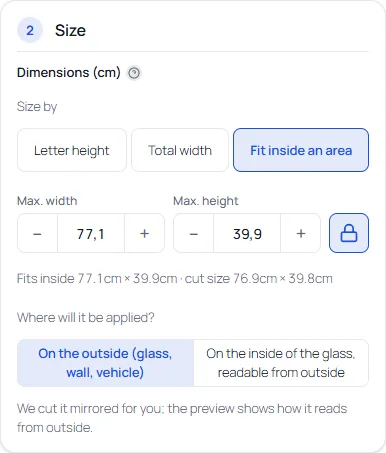
On the Materials screen you set the cutting limits: maximum foil width and length, the minimum letter height and a minimum stroke per material. The designer's production check warns when letters are smaller or lines thinner than the material allows, and when a design does not fit the roll width, with a one-click fix. When a design fits only when rotated, the price panel says so.
Next: multi-colour and registration marks, or the settings reference.