Fonts guide
Which fonts your customers can pick, how to add your own and why Google Fonts stay off until you decide otherwise.
Bundled fonts
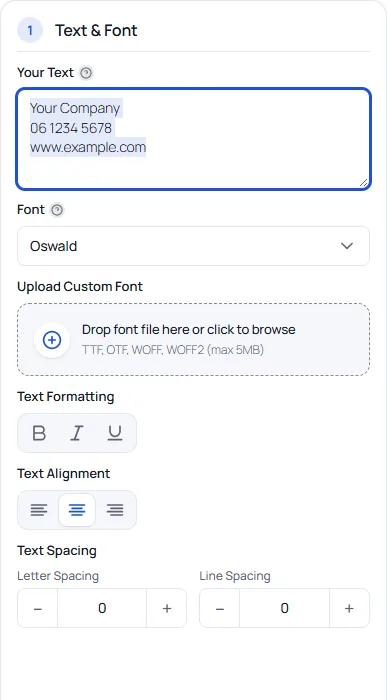
The plugin ships open-licensed fonts (SIL Open Font License and Apache License 2.0) and serves them from your own site. Bundled fonts never contact Google. The customer picks a font in a grid that previews the text they typed.
Choose what the designer offers
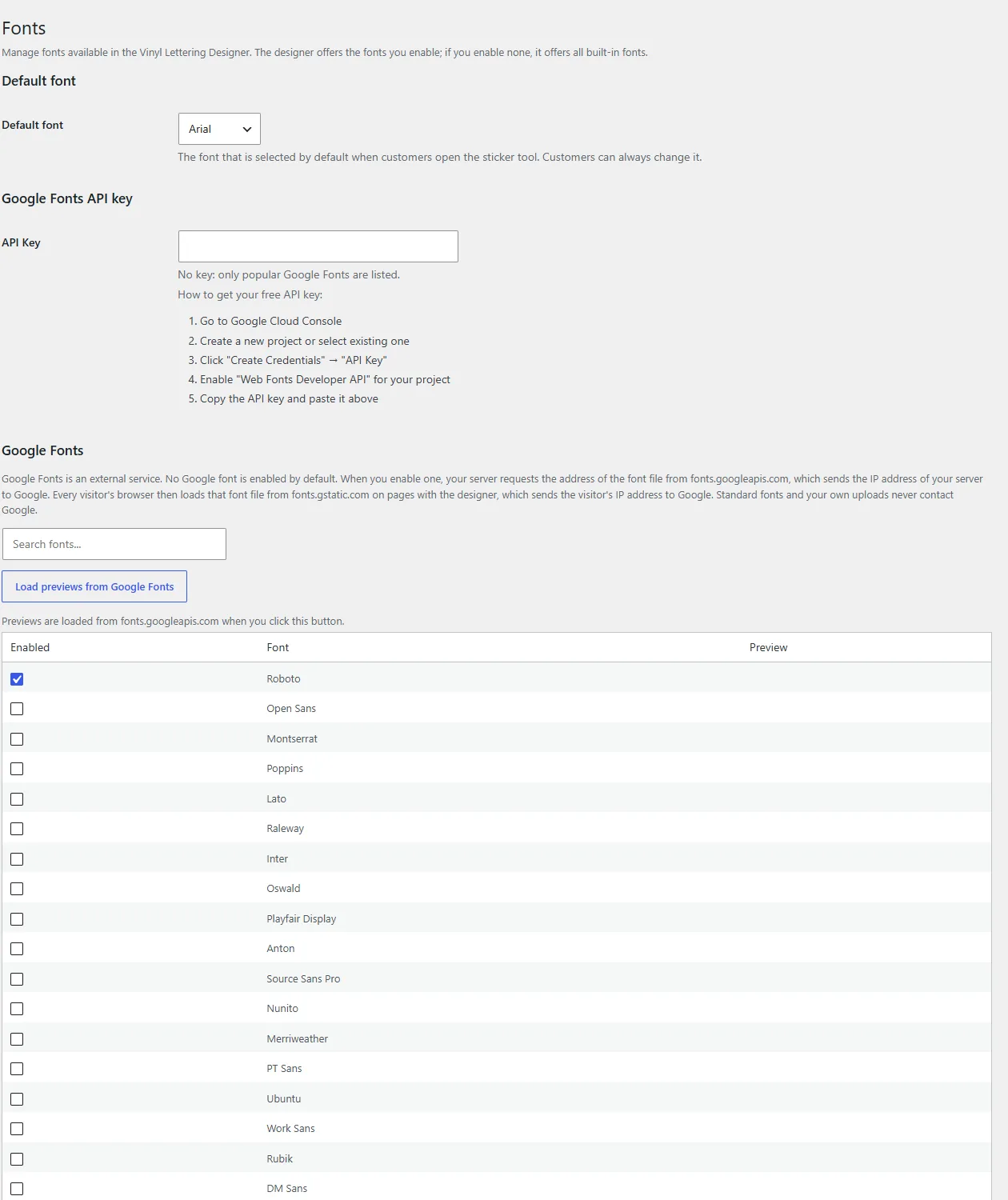
Open Vinyl Lettering → Fonts. Only enabled fonts load on the product page, which keeps it fast. Choose the default font that is pre-selected when customers open the designer; they can always change it. Fonts are grouped as standard fonts, Google Fonts and custom fonts, with a type per font (sans-serif, serif, monospace, display, script). The Reset button disables all Google and custom fonts.
Upload your own fonts
You can upload TTF, OTF, WOFF and WOFF2 files, up to 5 MB each, on the Fonts screen once Allow backend font upload is switched on in Settings → General (it is off by default). Give the font a display name if you like. Check the licence of a font before you offer it to customers: a font licence can forbid embedding or conversion to outlines.
Customer font upload
Allow frontend font upload (off by default) lets customers upload their own font file in the designer. Uploaded fonts are checked for type and size. You can show a font licence notice to customers when they upload (Settings → Advanced; leave it empty to hide it).
Google Fonts (opt-in)
No Google font is enabled on a new install. This is deliberate: once you enable a Google font, your server asks Google for the font file address and the visitor's browser loads the font file from fonts.gstatic.com on pages with the designer, which sends the visitor's IP address to Google. Shops that enable no Google font send nothing to Google from their visitors.
- Without an API key only popular Google Fonts are listed. With your own Google Fonts API key and a click on Refresh list from Google, all of them are listed. Nothing is fetched until you click.
- Previews of Google fonts in the admin load only after you click Load previews from Google Fonts.
- Fonts you upload yourself never contact Google.
This is why the plugin can say that it does not send customer data to a third party unless you choose to enable a Google font. See the privacy page for how this website itself handles data.
Tips for cutting
Clear letterforms cut and weed best. Very thin strokes are hard to weed: the production check warns when lines are thinner than the material allows. The designer turns the text into outlines from the font file itself, so the production file has no font dependency.
Next: templates and start presets.