Templates and start presets
Give customers a head start: the start screen with example projects, 42 ready-made design templates and 37 built-in shapes.
The start screen
When the “What are you making?” suggestions switch is on (the default), a customer who opens the designer first sees them. From 7.0.2 they are a compact row with a Hide button that closes as soon as the customer starts designing. Each tile is an example project with a suitable starting text and font: van or car, shop window, opening hours, boat name, house number and wall quote, plus printed sticker when you have switched printed stickers on, and start from scratch. “Change project” lets them pick again.

The start screen also asks the practical questions up front. For a shop window it asks whether the vinyl goes on the outside or on the inside of the glass; for the inside the cut file is mirrored for you.
Design templates
The plugin includes 42 design templates in 7 categories (business, home, creative, personal, vehicle, events and safety). You manage them under Vinyl Lettering → Templates and can add your own with Add Template. The list shows the preview, font, size and the number of products made from each template.
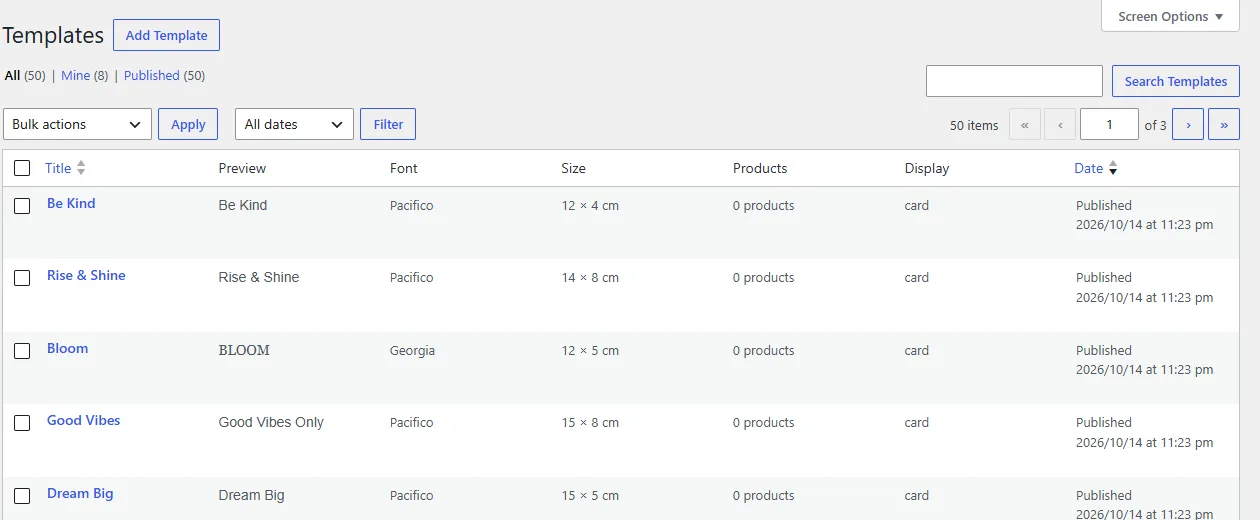
Turn templates into products
- Open Vinyl Lettering → Templates.
- Select the templates you want to sell.
- Choose Generate products under Bulk actions and apply.
Each product opens the designer with the template design pre-loaded. Under Settings → Advanced you can also let the plugin create a product for every template automatically, and set the “from” price, the base price per dm² for the calculation and the background colour of the generated product images (800 × 800 px).
Shapes
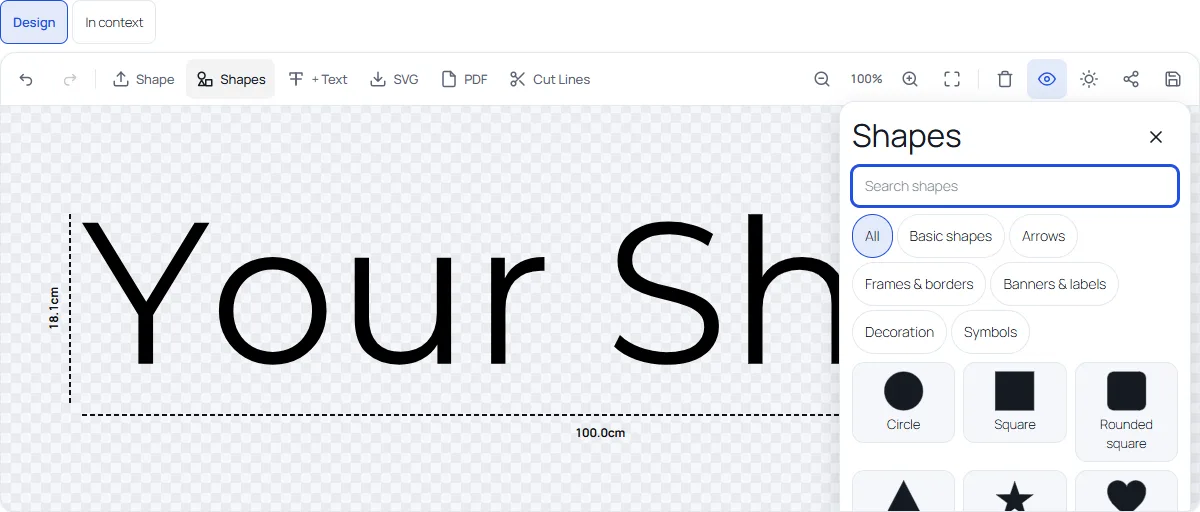
The designer has a library of 37 built-in shapes, and customers can upload their own SVG shapes. A shape is added as a cut layer and can have its own foil colour. Developers can extend the library with the vst_shape_library filter.
Photos of installed work
Under Settings → Delivery you can add up to 6 photos of installed work per start preset. A customer who chose a preset sees the photos of that preset in the review step.