Customers design vinyl lettering at real size, see the price, and you get the cut file with the order
Your customer designs the lettering at real size and sees the price while they work. You get the cutting file per colour with the order, without a single e-mail asking what they meant.
- GPL, no licence key
- Every feature has its own switch
- Works with WooCommerce
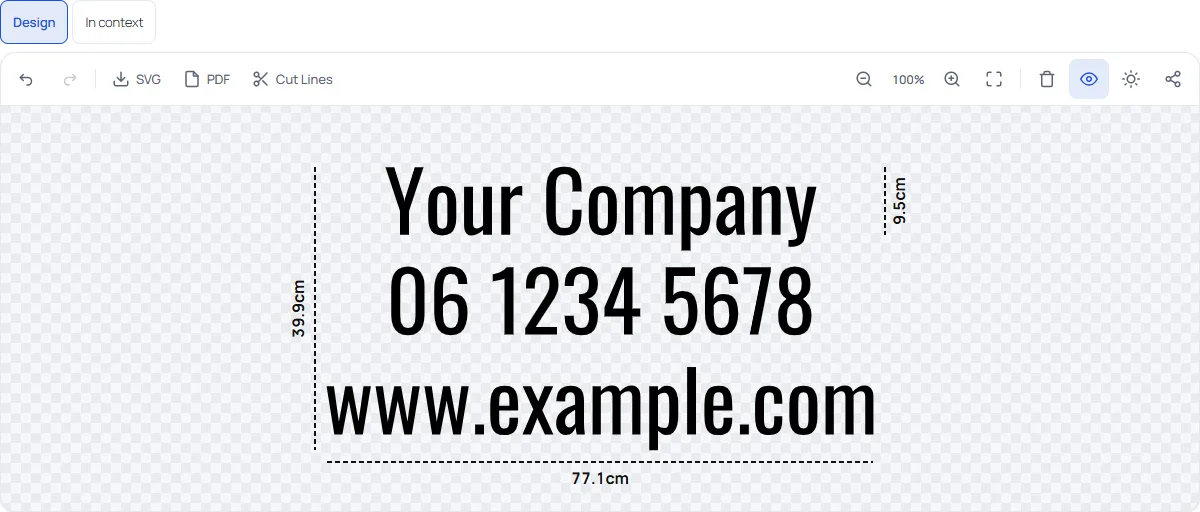
Selling lettering online is mostly back-and-forth
A customer wants “the company name in red, about this wide”. Then come the e-mails: which font, what size, which red, will it fit on the door.
Without a designer
Quotes by e-mail, sketches, screenshots, guesses about the size, and a file you have to draw yourself before you can cut.
With the designer
The customer sets the text, font, colour and real size, sees the price and orders. The design travels with the order line.
At the machine
You download a cutting file in real millimetres, one per foil colour with registration marks, and open it in the software you already use.
How it works
From product page to cutting machine in three steps.
Set up your shop
Run the setup wizard: business type, material preset, prices and a demo product. Switch on the designer for the products you choose.
Customers design
They pick a project, type a text, choose a font, material and colour, set the size in centimetres and see the price change.
You cut
Download the cutting file from the order and open it in your cutting software. The plugin does not talk to a cutting machine.
Start from a project, not from a blank page
Optional suggestions ask what your customer is making: a van, a shop window, opening hours, a boat name, a house number or a wall quote. The designer opens with a suitable starting point, and the row can be hidden or switched off. 42 design templates in 7 categories and a library of 37 shapes are there when they want more.
- Several text layers and shapes in one design
- A font picker that previews the customer's own text
- Share a design by link or e-mail, and save designs

The customer sees what it costs and whether it fits
Set the size by letter height, by total width or by fitting the lettering inside an area, like a window or a door. The price follows from the area and the material, with quantity discounts and a minimum price per piece, and is always recalculated on the server.
- Price breakdown per piece and the next quantity discount
- Production check that warns when letters are too small or lines too thin for the material, with a one-click fix
- Scene preview on a van, shop window, door, boat or wall
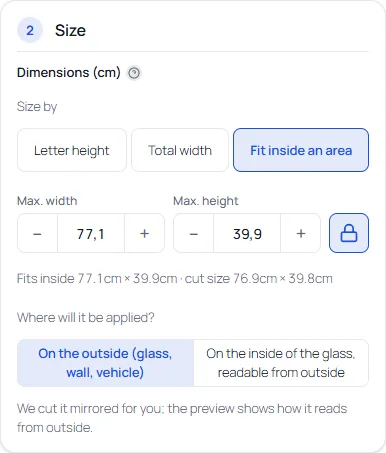
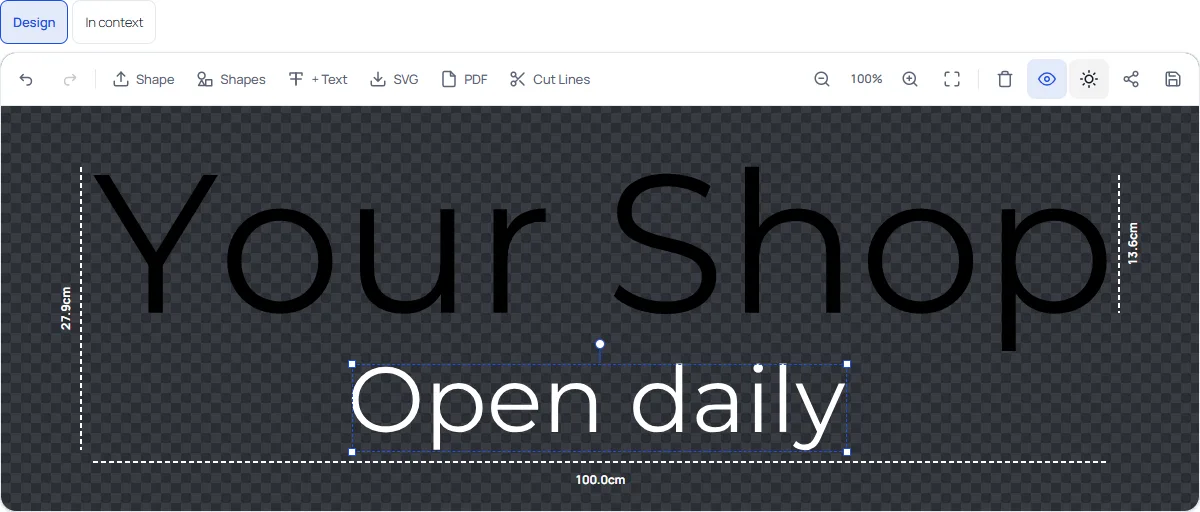
Multi-colour lettering that lines up on the wall
Give each text layer and shape its own foil colour. Every colour is cut separately, and registration marks in the corners of each layer make them land exactly on top of each other. You can charge a surcharge per extra colour.
- One SVG per foil colour, each with a weed box and registration marks
- Material presets with real colour codes (Oracal and Avery Dennison)
- Inside or outside the glass: inside, the cut file is mirrored
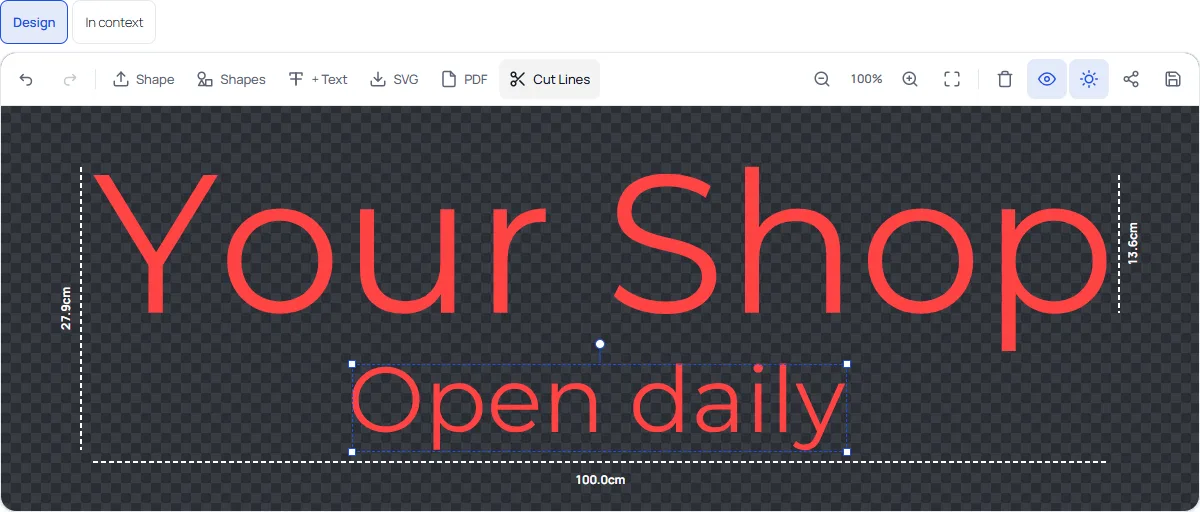
The order carries the file you need
The design is stored with the WooCommerce order line. Download the file you need, at the size that was ordered.
- Cutting file in SVG, in real size, with overlapping letters welded into one outline
- A PDF at actual size with the cut line as the CutContour spot colour
- A print PDF for printed stickers
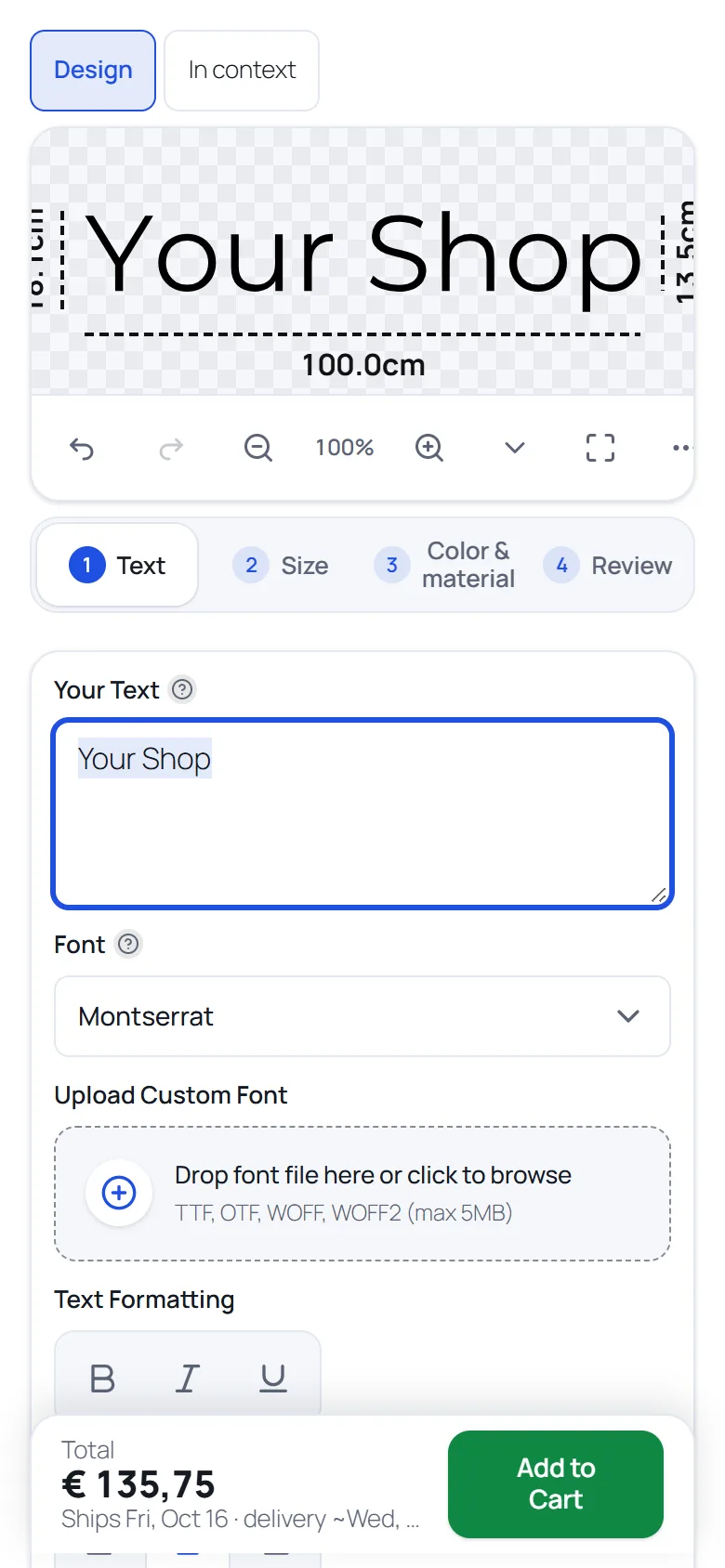
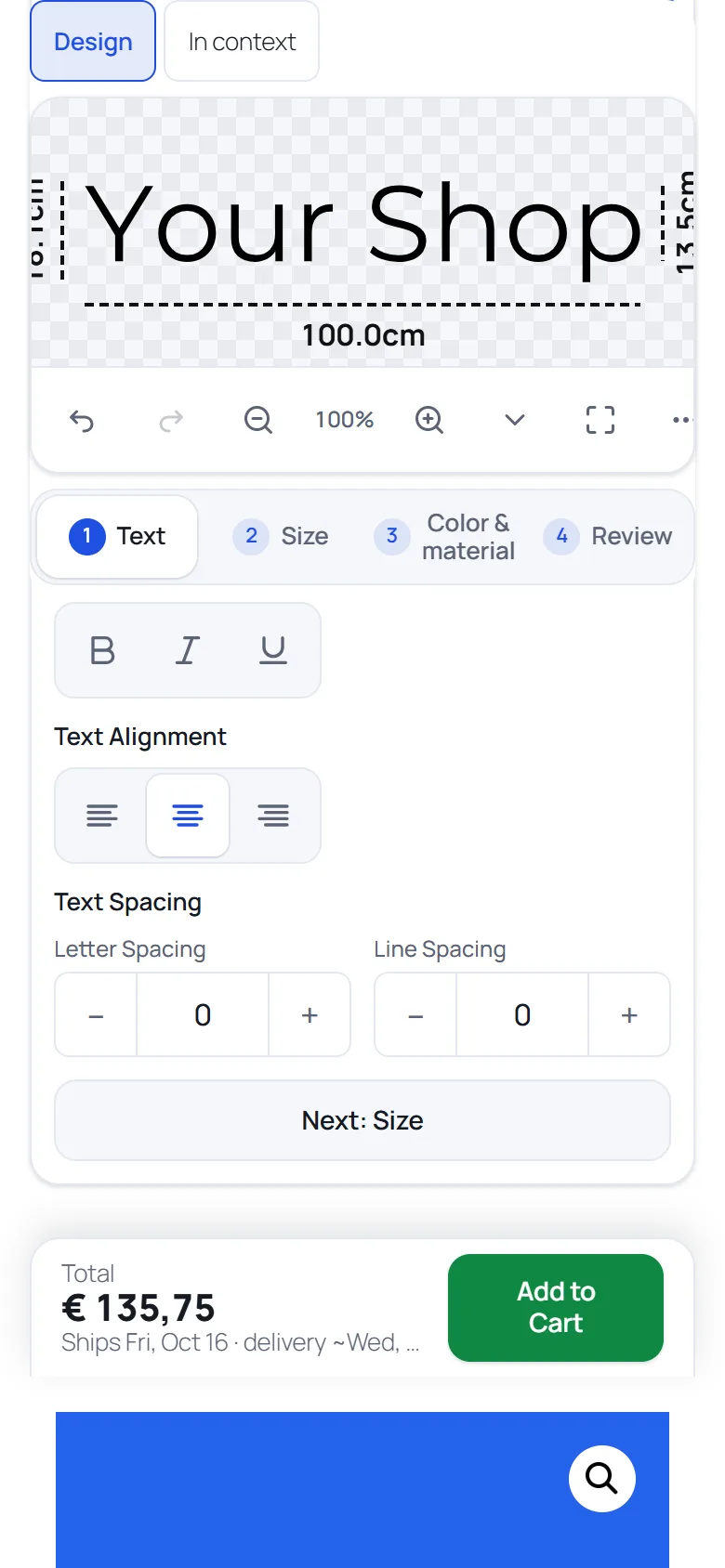
Customers design on their phone too
The designer is responsive: on a phone the canvas stays at the top while the customer scrolls through the options. The scene preview shows the lettering on a van, a window or a wall at the real size before the customer orders.
And the rest of what a lettering shop needs
Every customer-facing feature has its own switch in the settings.
Setup wizard
Five steps: business type, unit and materials, prices and a demo product, ending with a test cut and a price quote.
Fonts
Open-licensed fonts are bundled and served from your own site. Google Fonts are off until you enable them. Uploading your own fonts is optional.
Printed stickers
Optional: stickers with a background colour or image and a laminate option. Off by default.
Designer style
Adjust the look of the designer with a live preview.
Translated
Dutch, German, French, Spanish and Simplified Chinese. WordPress picks the language.
HPOS compatible
Declared compatible with WooCommerce High-Performance Order Storage.
Extendable
Filters and actions with the prefix vst_ and a small JavaScript object for add-ons.
Then the workshop takes over
Pro adds what happens after the order, inside WordPress.
A proof the customer approves
No more waiting on an e-mail that says “looks fine”: a link, a button and a stored answer. By default nothing is cut before they approve (a setting you can turn off).
A board for production
One card per designed order item, a column per status, filters, assignees and due dates. Select jobs to cut them together in a batch, nested on your roll width, with the remaining length of each roll.
A sheet at the machine
A printable job sheet with a QR code that opens the job on the board, and installation text in the Completed e-mail.
Free for the shop, Pro for the workshop
The free plugin is the complete designer. Pro adds the steps after the order.
| What you get | Free | Pro |
|---|---|---|
| Designer on your product pages | Yes | Yes (uses Free) |
| Live price, real size, cut-ready SVG | Yes | Yes (uses Free) |
| Templates, shapes, setup wizard | Yes | Yes (uses Free) |
| Proof approval through a customer link | No | Yes |
| Production board with a column per status | No | Yes |
| Job sheets with a QR code | No | Yes |
| Batch export with nesting on your roll width | No | Yes |
| Roll stock and a usage report | No | Yes |
| Installation text in the Completed e-mail | No | Yes |
| Price | €0 | From €99/year excl. VAT |
Questions
Is the free plugin really free?
Yes. Vinyl Lettering Designer is licensed under the GPLv2 or later. It has no licence key, no watermark and no locked features, and it does not contact the plugin author.
What do I need to run it?
A WordPress site with WooCommerce. The free plugin needs WordPress 6.3, WooCommerce 4.0 and PHP 7.4 or higher.
Which file do I get for cutting?
Every order line with a design has a cutting file in SVG format, which you download from the order. A design with more than one foil colour gives one SVG per colour, with registration marks. The plugin does not talk to a cutting machine: you open the SVG in the cutting software you already use.
How is the price calculated?
From the area of the design in dm2 and the price of the material you set, plus colour surcharges, with quantity discounts and a minimum price per item. The price that is charged is recalculated on the server.
What does Pro add?
A workflow for the workshop: proof approval through a link, a production board, job sheets with a QR code, batches nested on your vinyl roll with roll stock, and installation instructions in the Completed order e-mail. The free plugin keeps all of its features.
Can I try it before installing?
Yes. Open the live demo shop as a shopper, or open the admin in your browser with WordPress Playground. Nothing is installed on your own site.
More answers in the FAQ.
See it before you install it
Try the designer as a shopper, or install the free plugin and run the setup wizard.